

User journeys and AI – how to build a user-centric and intelligent service experience
The article delves into how user journeys and artificial intelligence support each other, and why a service design workshop is one of the most effective ways to design a scalable and sustainable artificial intelligence solution. The service design workshop serves as a starting point where business, user experience and technical constraints are brought into the same discussion before the actual architecture and implementation decisions are made.
Imagine an application where the user moves automatically in the right direction, where artificial intelligence helps them make decisions, and where the entire service experience feels smooth and personal. This does not happen by chance. The basis for all this design is the user journey. When we understand how people actually move through the service and what they need at different stages, we can also identify the points where artificial intelligence provides genuine benefits.
Companies are in a situation where the possibilities of artificial intelligence are enormous, but their practical implementation is difficult to grasp. That is why tools that clarify the big picture, such as user journeys, are more valuable than ever. At Hurja, we help companies design artificial intelligence into existing systems or create entirely new artificial intelligence applications.
User journeys help identify areas where artificial intelligence has the potential to generate value. Final implementation also requires an assessment of data availability, integrations and technical constraints.
- What is a user journey – and how does it relate to use cases and user stories?
- User journeys serve as both a map and a compass in the development of a new application.
- User journeys and artificial intelligence meet in the service design workshop
- When the possibilities of artificial intelligence are difficult to grasp, AI Sandbox makes them visible.
- What if it’s an old application? User journeys reveal where development is needed
- Getting started with UX/UI design
- Dreaming of integrating artificial intelligence into digital services in a way that truly adds value?
- Figma and FigJam are the perfect tools for service design workshops
- User journeys are AI’s best friend
What is a user journey – and how does it relate to use cases and user stories?
The user journey describes the entire service experience from start to finish: where the user comes to the service from, what they are trying to do, what they see and experience at different stages, and where they need support or guidance. It shows how the service appears in the user’s everyday life – not just as a single action, but as a continuous journey.
Use cases and user stories complement the user journey at different levels of detail:
- A use case describes a specific situation in which a user interacts with a system and attempts to achieve a specific goal. It answers the question: in what situation is the application used and what problem does it solve?
- A user story, on the other hand, brings in a human perspective: who the user is, what they want to do, and why it is important. It helps keep development focused on the user’s goals and everyday life, not just on technical implementation.
- The user journey ties these together and broadens the view from a single situation to the entire customer journey: how different use cases and user stories are linked to each other, where artificial intelligence comes into the picture, and how the service experience is built step by step.
When planning the use of artificial intelligence in a system, user journeys help to identify the right areas where artificial intelligence, when properly limited, can help, automate, predict or save time and money. A well-described user journeys helps to see where AI could facilitate the user’s journey, speed up operations or improve the overall experience.

User journeys serve as both a map and a compass in the development of a new application.
Developing a new software product is always a multi-stage process that requires careful planning before the first line of code is written. Digital service design ensures that the new product is user-oriented, technically feasible and commercially viable. The workshop helps create a clear plan that guides the development team and reduces project risks. A new product always means uncertainty. User journeys and service design make the uncertain predictable. When designing an artificial intelligence application, we map out:
- what users are trying to achieve,
- what kinds of routines can be automated,
- how artificial intelligence improves efficiency,
- and how the solution scales as the company grows.
Based on the journey, a prototype is created and tested with real users before development begins. This reduces risks and provides clear guidelines for technical implementation. The prototype is primarily used to validate the user experience, system logic and role of artificial intelligence before actual development decisions are made.
User journeys and artificial intelligence meet in the service design workshop
A service design workshop is a step-by-step process that produces clear results. During the workshop, ideas are crystallized into functional concepts and, if desired, prototypes, which can then be tested with real users. This not only reduces project risks, but also helps to identify what should be prioritized in the project and where artificial intelligence can provide genuine benefits.
The content of the workshop is always defined in line with the objectives. It may focus on conceptualising a new AI application, improving an existing system, integrating AI, or revamping user jouneys.
What might happen during and after the workshop, for example?
- Problem definition: Clarify what you want to solve and for whom. This step ensures that development work focuses on the right issues. Is the aim to integrate artificial intelligence into an existing system or to create a completely new solution?
- Outlining user jouneys: Define how users navigate the service and how the service meets their needs. At what stages do users need support? Where can artificial intelligence help? Where can automation lighten the resource load?
- Brainstorming and prioritisation: Brainstorm solutions and select the most important areas for development. Assess the realism and value of the ideas for business operations. No abstract ‘utilisation of AI’, but concrete use cases.
- Prototype creation: After the workshop, a concrete, visual prototype is created and tested with users. The visual model illustrates the user journeys, the operating logic of artificial intelligence, and the interaction of the user interface.
- Testing: The prototype is tested with real users, and the feedback received guides the next steps. The prototype can be used to collect user feedback, which guides the development and prioritisation of the AI solution.
- Iteration and follow-up plan: Based on user feedback, solutions will be improved and the next stages of development will be planned.
Once the direction of the design has been determined in the service design workshop, many customers want to see concrete examples of the types of AI solutions that can be implemented today. For this purpose, we have built AI Sandbox: a demo environment where we present ready-made solutions that make the possibilities of artificial intelligence visible before the actual development work.
When the possibilities of artificial intelligence are difficult to grasp, AI Sandbox makes them visible.
For many organisations, the biggest challenge is not that they are not interested in utilising artificial intelligence. The challenge is that AI can easily seem abstract. What could it be used for? What does AI look like in practice? And what is it already capable of doing today?
That is why Hurja uses the AI Sandbox demo environment, where we present ready-made AI demos that solve real-life challenges. The demos illustrate how artificial intelligence:
- automates manual routines
- interprets documents in natural language
- analyses and summarises data
- makes recommendations at the right point in the user journey
- streamline internal processes and decision-making
AI Sandbox is a quick and concrete way to see, through various demos, what can already be built with artificial intelligence and what kinds of applications could also be found in your services. Book a demo presentation.
AI Sandbox is a demo environment designed to illustrate possibilities and stimulate discussion. However, it does not replace production-level design or architectural work. Once the possibilities have been outlined and seen in concrete examples, the next step is to plan how these ideas can be utilised in practice. When creating a new artificial intelligence application, user journeys serve as both a map and a compass.
What if it’s an old application? User journeys reveal where development is needed
However, not all companies start from scratch with a completely new solution. It is equally important to identify how existing services can be improved through user journeys and artificial intelligence. The user journeys of an existing application quickly reveal where the service needs improvement.
When we analyse users’ actual behaviour, we often find features that no one uses, views that do not contain important information, processes that could be automated using artificial intelligence, and pain points that users get stuck on. These observations form a roadmap for further development, which is prioritised based on data and business impact.
A service design workshop brings clarity to this process. User data and feedback form the basis of the workshop, enabling problem areas to be thoroughly analysed and effectively corrected. During the workshop:
- improve identified pain points,
- prioritise development areas based on their impact,
- and create a clear plan for the future, with visual models and prototypes to guide the development team in the practical implementation.
Artificial intelligence solutions can bring significant added value to further development: automatic recommendation or decision-making engines, optimisation of user flow analytics, predictive functionalities – such as error prediction – and intelligent control mechanisms improve service flow and user experience.
In one of the further development workshops, we focused on navigation issues in the mobile application. User data showed that users were unable to find the most important functions. In the workshop, we designed a new navigation structure, tested it with users, and created a clear implementation plan for the development team, a concrete example of how user journeys and service design guide further development in the right direction.
Getting started with UX/UI design
Once areas for development have been identified, implementing them requires a clear and functional user interface. This is where UX/UI design comes into play. The design of the user interface (UI) and user experience (UX) are critical to the success of the software. A service design workshop offers an effective way to start UX/UI design and ensure that the design meets user needs early on in the project.
Why start planning in a workshop?
- Clarity for development: Wireframe models and mockups created in the workshop make visions concrete and guide the development team.
- Rapid testing: Design flaws can be corrected based on user feedback before coding, saving time and money.
- Better user experience: A user-centred approach takes end-user needs into account and ensures that the solution is intuitive and easy to use.
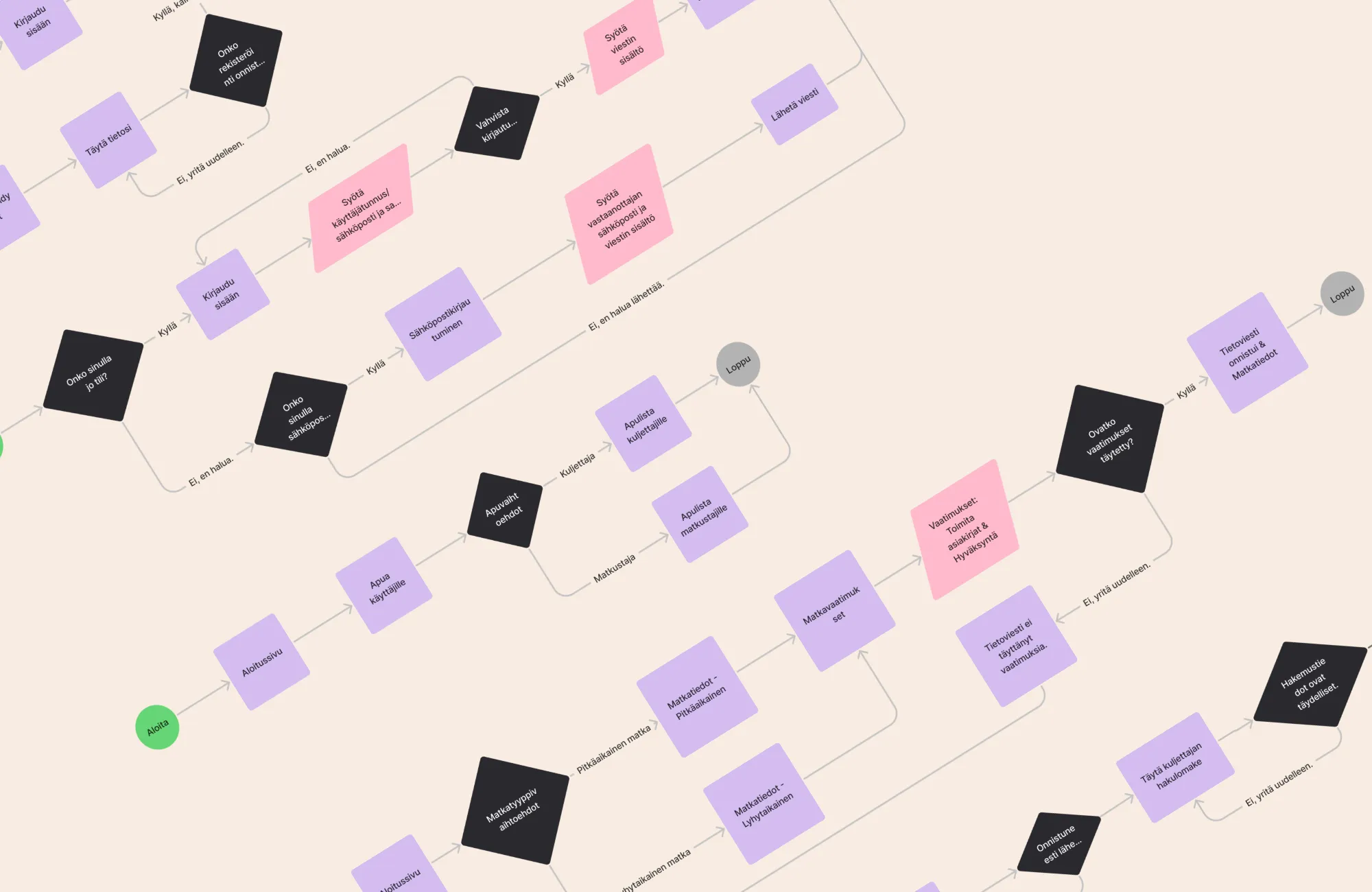
In a workshop with the client, we sketched out the user journeys for the new web application’s user interface in Figjam and created an interactive prototype in Figma. This process helped to ensure that users can easily find the functions they need.
Dreaming of integrating artificial intelligence into digital services in a way that truly adds value?
Artificial intelligence offers enormous opportunities, but its integration requires careful planning. The workshop can be used to identify where artificial intelligence is most useful and to create a clear plan for its implementation.
How is artificial intelligence designed in a workshop?
- Mapping: We identify where artificial intelligence can bring added value, such as in data analysis, automation or personalisation. However, user data is not directly usable in all organisations. In the workshop, it is also important to assess the current state of the data and any development needs.
- Prototyping solutions: We create models of the possibilities offered by artificial intelligence, such as personalised recommendations or automated customer service functions.
- Impact assessment: We consider how artificial intelligence solutions change the user experience and what benefits they bring to business.
Benefits
- Concretising the potential of artificial intelligence: Visual models make the benefits of artificial intelligence understandable to all stakeholders.
- Faster decision-making: A tested and validated idea provides certainty for implementation.
Using a whiteboard, we visualized how artificial intelligence analyses user data and suggests personalised recommendations for online services. This helped the customer understand the business value of artificial intelligence and how it manifests itself in the user experience.
Figma and FigJam are the perfect tools for service design workshops
Figma and FigJam support this phase by providing tools that allow ideas to be immediately visualized and tested. At Hurja, we often use Figma and its collaboration tool FigJam to plan and implement service design workshops. These are excellent tools for UI and UX design and for concretizing ideas.
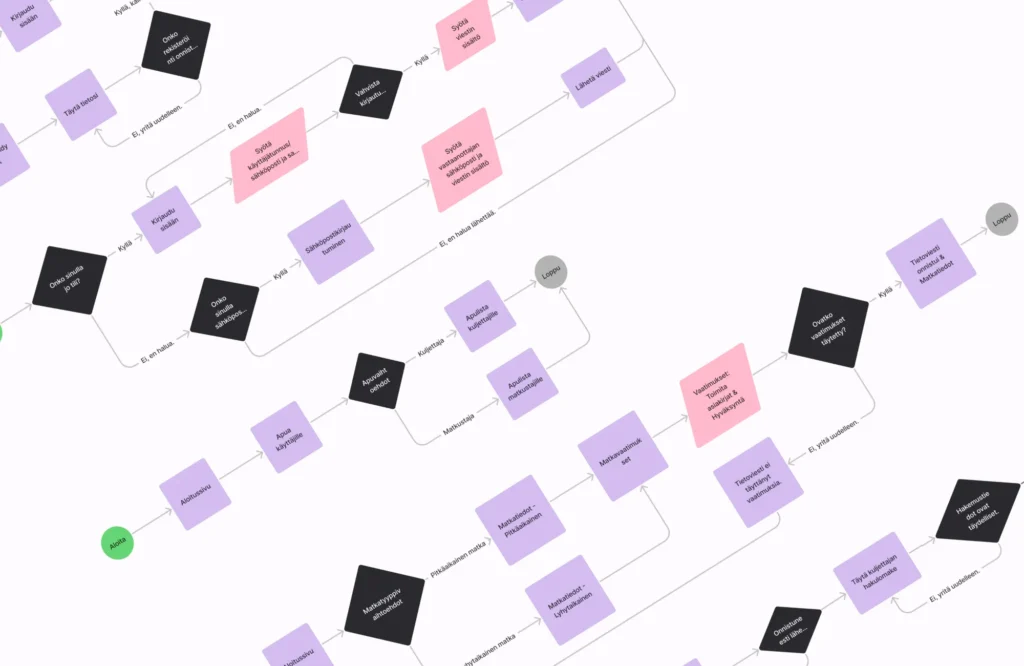
FigJam is particularly effective for brainstorming and sketching user journeys. It functions as a digital whiteboard where teams can draw, structure ideas and create user-centred concepts together.
Figma, on the other hand, enables the creation of visual prototypes and interactive mock-ups. It helps take the ideas outlined in FigJam to a concrete level and provides tools for user testing.
Thanks to these tools, the service design workshop does not remain merely at the level of discussions and notes, but immediately produces visual and testable results.
What are the benefits of FigJam and Figma in workshops?
- Interactivity: Figma can be used to build interactive prototypes that users can test as if they were real user interfaces.
- Real-time collaboration: FigJam enables teams to work together in a virtual workspace, making design collaborative and agile.
- Visual concretisation: Both tools help to transform abstract ideas into clear and easily understandable concepts.
- Faster decision-making and development: A tested concept ensures that AI is integrated in the right way and in the right place, and speeds up the start of development work.
FigJam is an excellent tool for the early stages of workshops, when brainstorming solutions or mapping user hourneys. Once the outlines are ready, they are exported to Figma, where visual and functional prototypes are created from them. This seamless transition from ideation to implementation speeds up work and improves its quality.
User journeys are AI’s best friend
If your company is considering how to integrate artificial intelligence into its current services or how to design a new AI solution, a service design workshop and user journeys are the right place to start. They make opportunities concrete, reveal real benefits and ensure that the solution serves both users and the business.
If you still need a clear overview of where AI could be most useful, Hurja’s AI Sprint offers a concise and practical way to identify the right applications and create a realistic direction for them.
Regardless of whether you are starting from scratch, modernizing an existing application or just identifying the potential of AI, user journeys and service design provide a foundation for creating real value from AI.
When you want to design a solution that brings value to the user and measurable benefits to your business, we can help you turn your idea into concrete steps. Contact us, and together we will build a solution that really works.
Shall we get started?
"*" indicates required fields





 Hurja granted continued right to use the carbon neutrality symbol