


The new Web Content Accessibility Guidelines (WCAG 2.2) have been published
Public authorities, public organizations and public service providers are bound by the Digital Services Act and the Accessibility Directive. A service subject to the Digital Services Act must be implemented in accordance with the Web Content Accessibility Guidelines (WCAG) set out in the Accessibility Directive. The WCAG guidelines provide a detailed description of the technical and content-related requirements that ensure a minimum level of accessibility.
The new accessibility guidelines (WCAG 2.2) were published on 5 October 2023. Previously, version 2.1 of the WCAG guidelines had been in use. The World Wide Web Consortium (W3C) postponed the publication of the new guidelines on several occasions. The W3C is an international organization comprising companies and organizations that maintains and develops standards for the World Wide Web.
Web service accessibility levels and WCAG criteria
The WCAG criteria are divided into three levels: Level A, Level AA and Level AAA. Level AAA criteria are the most stringent, and therefore enable accessibility for the widest possible range of people with various types of functional limitations. However, Level AAA is not the target level for all digital services, and the Digital Services Act only requires public authorities, public-law bodies and certain organizations to comply with it. Striving for the AAA level is therefore not necessarily always the most sensible option for all operators; the A or AA level may be sufficient.
An accessible web service therefore means that the service has been designed to meet the currently applicable WCAG 2.2 Level A, AA or AAA criteria. The WCAG guidelines, developed by the World Wide Web Consortium (W3C), ensure, above all, that the service’s technical solutions and functionalities have been implemented in accordance with best practices for accessibility, so that everyone has the opportunity to use digital services on an equal footing.
What changes in the WCAG 2.2 guidelines contained in the Accessibility Directive compared with the WCAG 2.1 version?
The new WCAG 2.2 criteria make web pages easier to read, use and navigate for all users, including those with cognitiveor learning difficulties, visual impairments or challenges with using mobile devices. Some of the new criteria focus on improving the accessibility of mobile devices, making it easier to navigate websites and web applications, and providing more accessible web content.
WCAG 2.2 builds on previous versions (2.0 and 2.1) and includes a large proportion of the previous requirements; however, one criterion, for example (4.1.1 Structuring) has been removed, some have been clarified and others updated to reflect the latest technologies. We will not be going through the updates and clarifications made to the existing criteria in this article.
A criterion removed from the WCAG 2.2 accessibility guidelines
- 4.1.1 Structuring (this criterion is no longer necessary and has been removed from the forthcoming WCAG 2.2 version)
- This criterion was originally introduced to address issues faced by assistive technologies when processing HTML directly. Assistive technologies no longer need to process HTML directly, as technology has advanced so much since the previous WCAG update that this criterion has become redundant.
The following entirely new criteria were introduced in the WCAG 2.2 accessibility guidelines
- 2.4.11 Focus Not Obscured (minimum) (AA)
- 2.4.11: At the minimum level (AA), it is sufficient for the edge of the alignment to be partially visible; sometimes it may be partially obscured for one reason or another.

- 2.4.12 Focus Not Obscured (improved) (AAA)
- 2.4.12: Under the enhanced level (AAA) of WCAG 2.2, the focus must be 100% visible; in other words, it must not be clipped or hidden at all.
Focus refers to the visual effect that appears when the user moves the cursor around the keyboard. For example, when the user presses a key on the keyboard that corresponds to a button, a colourd border appears around the button. This border indicates that the button is selected.
- 2.4.13 Focus Appearance (AAA)
- 2.4.13: New requirements have been introduced regarding the appearance of the alignment. Previously, it was sufficient for the focus to be present, but there were no specific requirements regarding its appearance. Now, the border of the focus must be at least two pixels thick so that it stands out sufficiently from its surroundings. There must be a contrast ratio of at least 3:1 between the focus and the non-focus area so that the focus stands out clearly. Furthermore, the focus must stand out from its background.
- 2.5.7 Dragging Movements (AA)
- 2.5.7: If a function on a web page requires a drag gesture to work, the user must be given an alternative method, such as a tap or a mouse click.
- 2.5.8 Target Size (minimum) (AA)
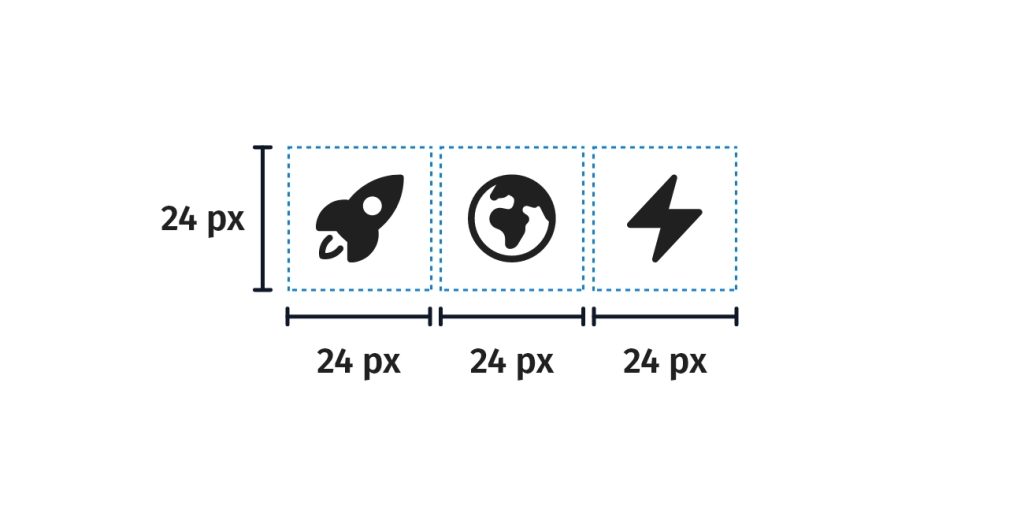
- 2.5.8: All interactive elements must be at least 24×24 CSS pixels in size. The empty border surrounding the element may also be included in this measurement.
- 3.2.6 Consistent Help (A)
- 3.2.6: If an auxiliary function is available, it must be ensured that it is always available and in roughly the same location, so that the user can easily locate it while navigating the site.
- 3.3.7 Redundant entry (A)
- 3.3.7: When a user completes a form, all previously entered information must be available either as auto-fill or as a selection option.
- 3.3.8 Accessible Authentication (minimum) (AA)
- 3.3.8: If a website requires a cognitive test for login, e.g. remembering a username and password combination, an alternative method of authentication that does not require a cognitive test must be provided. The AA level allows for more options for implementation than the AAA level.
Alternative approaches to building authentication systems
One alternative, accessible method for setting up authentication is email login. In this case, the user enters their email address on the website, receives an email containing a link to log in, clicks on the link to return to the website, and is automatically logged in.
The alternatives accepted under Level AA of the WCAG 2.2 guidelines are: an alternative identification method, an assistive mechanism, object identification and personalized content.
An alternative authentication method is one that does not require a cognitive test. This could, for example, be two-factor authentication, where the user receives a code via email or text message, or uses an authentication app such as Google Authenticator, or even a QR code.
A support mechanism that helps the user to carry out a task, such as remembering a password. This may include the option to copy and paste a password, thereby eliminating the need to type it in, or support for the use of third-party services, such as Google or 1Password, which automatically store and fill in the user’s usernames and passwords.
Object recognition as a cognitive test in which the user must select from a set of images those that show a specific object.
Personalized content as a cognitive test in which the user must recognize non-textual content that they themselves have added to the website, such as images, videos or audio files.
- 3.3.9 Accessible Authentication (enhanced) (AAA)
- At AAA level, only two implementation options are permitted. The options are: an authentication method that does not require a cognitive test, or an option where the user is provided with some form of assistance to complete the test, e.g. copying and pasting a password or using a password management service.
A cognitive test refers, for example, to a memory-based test, in which the user is required to recall their password (text, a PIN code or patterns, such as connecting dots with a finger) or, for example, a test in which the user must complete a task for authentication purposes in order to log in.
Why are the updated WCAG 2.2 guidelines a good thing?
The changes introduced by the WCAG 2.2 guidelines are undoubtedly a positive step towards a more accessible digital world. These changes are designed to improve the online experience for people facing various challenges, such as those with cognitive challenges and/or learning difficulties. Furthermore, the new criteria promote improved accessibility on mobile devices, which is particularly important today.
The changes are not limited to technical aspects alone; they have a direct impact on how people can navigate websites and use various web applications. This increases opportunities for participation and makes the internet more accessible to all users. Accessibility is not merely a technical requirement; it also reflects human empathy and equality in the digital environment.
In summary, it can be said that the changes to the WCAG 2.2 guidelines represent a step towards a more inclusive and user-friendly internet. These changes aim to ensure that everyone can benefit from online resources, regardless of their abilities or background. This lays the foundations for a better digital future that is open to all.
One of the three priorities of Hurja’s corporate sustainability program is the UN Sustainable Development Goal: reducing inequality. Under this goal, our program includes, among other things, promoting digital equality, which we are advancing by increasing awareness and expertise in accessibility both internally and externally.
Let’s set out on a journey towards a more inclusive digital world
Let’s begin our journey towards a more inclusive digital world with an accessibility audit, which will help us assess the current state of your service’s accessibility and identify ways to improve it. Of course, Hurja’s experts will also rectify any accessibility issues you wish to address. Get in touch!
Shall we get started?
"*" indicates required fields

You might also like these articles

An accessibility expert coded their own contrast checker
Read more

The Digital Services Act brings online stores within the scope of accessibility requirements
Read more

Accessibility is the starting point for digital services
Read more

Accessibility testing in practice – towards an accessible user experience
Read more
 Hurja Solutions’s corporate social responsibility program has been published