

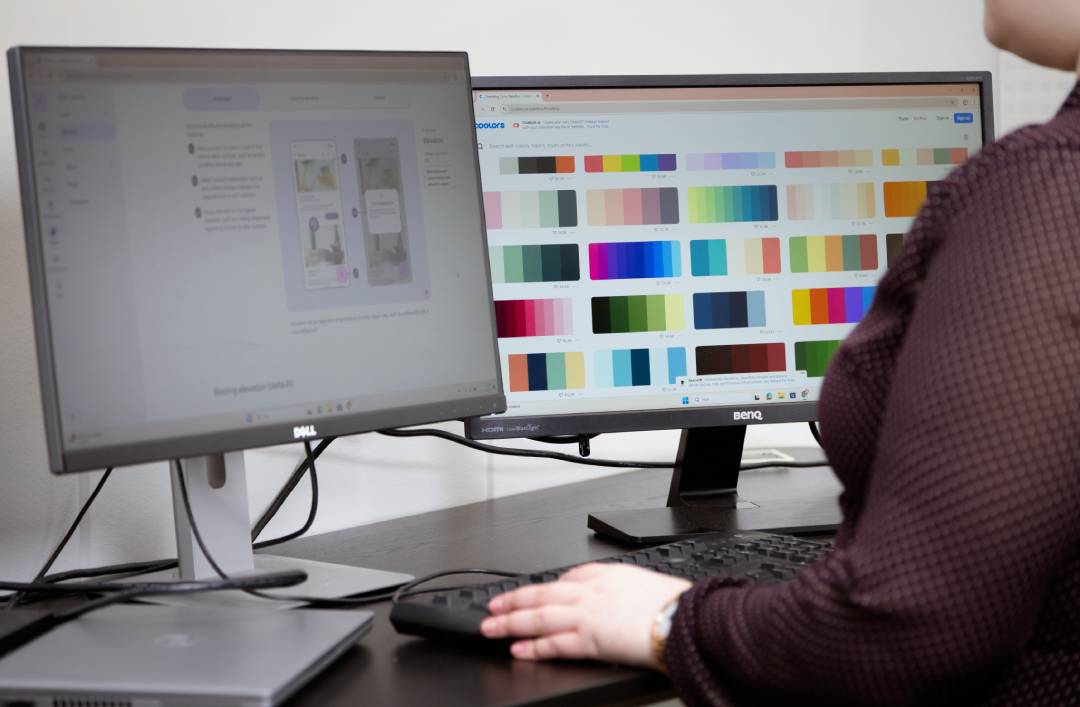
Prototyping and AI – from idea to interactive prototype in an instant
One of the biggest challenges in the early stages of many software projects is a simple one: how would this idea work in practice – and what would it look like? Prototyping using artificial intelligence provides quick answers to these questions.
A prototype is the first tangible step in software development. It transforms an idea into a testable solution before a single line of code has been written. A prototype can be used to seek funding, gather feedback from end users or build a shared vision within the project team. It also helps to identify challenges at a stage when changes are still affordable to make and to convince stakeholders before a development decision is made.
Without concrete details, an idea can mean something different to everyone. With the help of artificial intelligence, it is possible to flesh out the idea right from the very first meetings. In this article, we’ll look at what a prototype is, how artificial intelligence has changed it, and in which situations a prototype is most useful.
- The use of artificial intelligence has significantly transformed the early stages of the prototyping process
- In what situations is prototyping most useful?
- How does the AI-powered prototyping tool work in practice?
- Artificial intelligence does not replace design – nor should it
- Do you have an idea that’s just waiting to be put into practice?
The use of artificial intelligence has significantly transformed the early stages of the prototyping process
Traditionally, it has taken days or weeks to get a prototype up and running. A lot can happen in that time: stakeholders lose their enthusiasm, budget decisions are postponed, and the project gets underway based on guesswork.
Artificial intelligence has completely transformed this stage. Even a rough text description or a sketch on paper is enough to get started. Claude or Codex turns it into a functional outline – not in weeks, but in hours. Sometimes even in minutes.
However, speed is not an end in itself. A prototype is only useful if it serves a genuine purpose. That is why the most important question must be asked first: what is this prototype intended to achieve?
In what situations is prototyping most useful?
- Your idea is still vague, but you need to secure funding or internal approval. Verbal descriptions aren’t enough to convince anyone. A working prototype makes the idea tangible and credible before development begins and larger investments are made.
- You are developing a new digital product or service and want to test its functionality before making a major investment. A prototype reveals usability issues and false assumptions at a stage when changes are still affordable to make.
- The project team has differing views on what we are building. A prototype replaces these differing interpretations with a shared understanding more quickly than anything else.
- You work, for example, in the manufacturing sector, where processes are complex and development needs are constantly evolving. Before an IT project is launched, a prototype helps to clarify exactly what is needed and what is not.
How does the AI-powered prototyping tool work in practice?
Our process proceeds in two stages, each with a different purpose.
Pre-launch prototype
A sales-stage prototype is a quick sketch that anyone can produce: a salesperson, a developer or the customer themselves. A text description or a sketch is sufficient as a starting point. A good starting point includes a description of what the tool or application does, what the user wants to achieve with it, what its core functions are, and why it is valuable to the business. Artificial intelligence then refines this into a functional outline that brings the idea to life. Visual polish is not essential at this stage.
For this purpose, Anthropic has developed the Claude Design tool, which is specifically designed for the rapid creation of visual prototypes. The user describes the desired functionality directly in the chat, and Claude Design generates an interactive prototype from it without the need for a separate development environment or writing code. The end result can be refined by continuing the conversation, commenting directly, or adjusting the layout using sliders. In practice, the sales-stage prototype is therefore created during the first customer meeting.
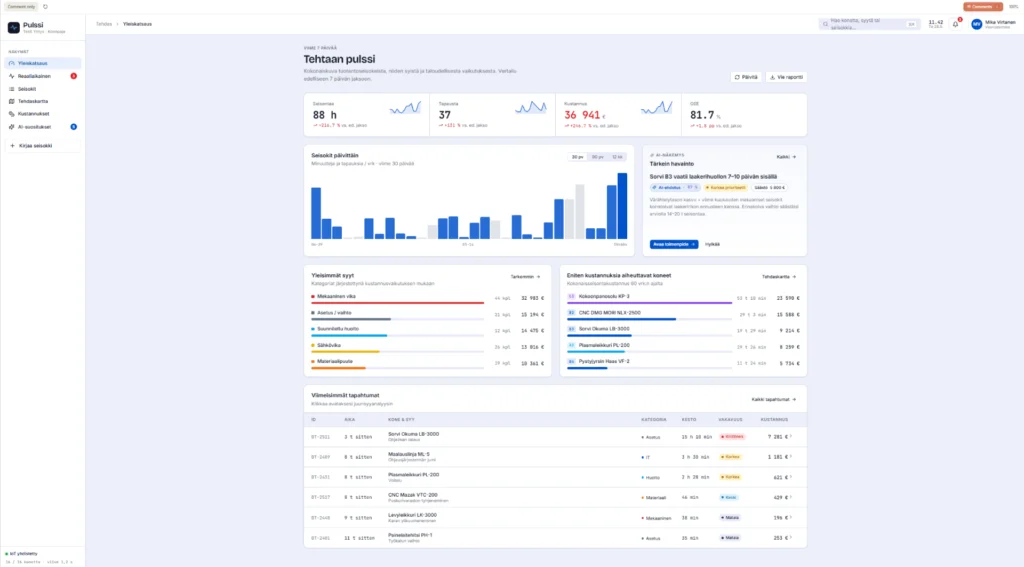
A prototype made by the designer
The prototype created by the designer is the next step as the project progresses. The designer refines the mock-up into a polished final product using Figma: user flows are tested, the user interface is refined, and clear specifications are produced for the developers. Usability, visual design and business objectives are confirmed before moving on to development. At this stage, artificial intelligence is still involved. Figma Make utilizes Claude, and if desired, the finished design can be exported back to Claude, which sometimes even generates a fully functional product.
Artificial intelligence is transforming the designer’s work, but it is not reducing the amount of work involved. Traditionally, the first drafts of user interfaces have taken days to produce. Now, designers can apply their expertise where it is most valuable: critically evaluating drafts, identifying usability issues at an early stage, and steering development in the right direction. For the client, this translates into faster progress and a clearer mutual understanding right from the start.
A well-executed prototype delivers tangible benefits even before the development phase:
- Development work begins with a shared understanding, when everyone has the same vision of the end result
- Usability issues are identified before it becomes more expensive to fix them
- Stakeholders will be won over when the idea can be seen as well as heard
- Development costs remain under control when the direction is clear from the outset
The video below shows another example of a working prototype created from a text-based description, which was also generated solely through prompting.
The text prompt on which the prototype was based:
Protoidea: An AI-based tool for analyzing production downtime
Technology
- React
- Vite
- TypeScript
- Tailwind CSS
- Shadcn UI
What does the tool do?
This AI-based tool analyses the causes and underlying factors of production downtime at a hypothetical factory, as recorded by maintenance staff. The tool identifies the most common causes, assesses their impact on production and suggests solutions to minimize them. It combines historical data, real-time feeds and predictive models into a powerful analytical tool.
What does the client hope to achieve with this prototype?
- Why do production stoppages occur?
- The tool helps identify root causes, such as equipment failures, material shortages or faulty workflows.
- How can they be prevented?
- The prototype proposes specific changes to prevent problems or reduce their duration.
- Which of these are the most expensive?
- The tool assesses the financial implications in order to prioritize improvement measures.
- How can trends be tracked and predicted?
- The tool provides continuous monitoring of production stoppages and their impact.
Key features of the prototype
- Data entry and analysis
- Maintenance staff record the causes of production stoppages in the system (e.g. as text, codes or via menus).
- Artificial intelligence analyses patterns, such as specific equipment or process stages, that frequently cause problems.
- Classification and root cause analysis
- The tool categorizes causes such as mechanical faults, human error, maintenance requirements or material issues.
- It produces root cause analyses and identifies the risk areas that are most common or most serious.
- Real-time tracking
- The tool integrates with production equipment (IoT) and monitors production downtime in real time.
- It detects situations where the risk increases and sends alerts.
- Cost assessment
- The tool calculates the financial impact on production efficiency and profitability.
- Proposed solutions and optimizations
- Artificial intelligence suggests solutions such as predictive maintenance, process changes or improvements to spare parts logistics.
- Visualization and reporting
- The tool presents data and trends in a user-friendly interface, including charts and heatmaps.
- Users can analyse the impact on a daily, weekly or monthly basis.
Why is this valuable to the customer?
- Improved production efficiency: Customers can minimize production downtime and increase throughput.
- Cost savings: The analysis helps to avoid associated losses, such as underutilization of resources and delays.
- Predictive maintenance and risk management: Predictive recommendations ensure that maintenance is carried out in good time, thereby reducing unexpected problems.
- Better decision-making: The tool provides clear insights into the causes and effects of problems, enabling improvements to be made to production processes.
- Support for staff: Maintenance staff and production workers can use the tool to solve problems and report issues more effectively.
Artificial intelligence does not replace design – nor should it
At Hurja, AI is an integral part of the process, and our designers’ expertise ensures that speed leads in the right direction. You can bring your ideas to us in any form. We combine your vision, business objectives and technical requirements into a single clear direction, and with the help of AI, we can produce a working prototype right from the initial discussions, bringing your idea to life quickly and tangibly.
If you’d like to gain a deeper understanding of how to provide the right framework for AI to build productive prototypes, read more about context engineering and the role of user stories in design.
Do you have an idea that’s just waiting to be put into practice?
At Hurja, we believe that the best results are achieved by combining the speed of artificial intelligence with the expertise of a designer. Artificial intelligence brings efficiency to the process, while the designer ensures that the end result is user-friendly, visually polished and aligned with business objectives. Together, they offer a smoother start and greater value right from the early stages of the development process.
A well-executed prototype is the first step towards a successful software project. It allows you to test the viability of an idea, gather feedback and win over stakeholders even before a single line of code has been written.
Is your idea difficult to explain without a concrete example? Do you find that, in meetings, everyone has a different understanding of what we’re building? Would you like to test whether your idea works before committing to a development project? Get in touch, we’re here to help.
Shall we get started?
"*" indicates required fields

You might also like these articles

6 winning use cases for AI – how to find where it really pays off
Read more
User journeys and AI – how to build a user-centric and intelligent service experience
Read more

AI for businesses – a practical guide to getting started
Read more

Generative artificial intelligence (GenAI) in business
Read more
 The use of artificial intelligence in visual design