

No-code and low-code software development, as well as artificial intelligence, are streamlining application development
No-code and low-code software development have transformed traditional application development by offering faster, more cost-effective and more user-friendly alternatives. By utilizing these technologies, it is easy, for example, to carry out lightweight pilot projects in the early stages of adopting artificial intelligence. No-code and low-code platforms enable wider participation in application development without the need for advanced programming skills and help businesses remain competitive in a rapidly changing business environment.
No-code software development makes it possible to create applications and software even without any programming skills at all. This makes app development accessible even to those without a technical background. However, no-code software development is generally only suitable for fairly simple use cases. Low-code software development and artificial intelligence, on the other hand, have become key factors even in more complex projects that require some coding and, potentially, AI features. Low-code platforms offer visual development tools and ready-made components that enable developers to build and customize applications efficiently. This speeds up the development process and reduces the number of errors. Artificial intelligence, in turn, adds value to application development through automation, analytics and predictive maintenance.
However, both no-code and low-code approaches also present challenges, such as limited customization options and security concerns. Despite this, their popularity continues to grow, and they offer many advantages over traditional software development. Companies are utilizing these new technologies to develop applications more quickly and efficiently, which helps them remain competitive and better meet their customers’ needs.
In this blog, we’ll explore the benefits of no-code and low-code software development, as well as artificial intelligence technologies, their practical applications, and examples of how they can significantly improve the development process. We’ll also present a few practical examples of how you might be able to utilize these tools in your own work.
- What do ‘no-code’ and ‘low-code’ software development mean?
- The benefits of no-code and low-code software development
- Visual low-code tools with AI features
- Visual no-code integration of applications
- By combining no-code and low-code platforms with artificial intelligence, businesses can boost their competitiveness
What do ‘no-code’ and ‘low-code’ software development mean?
No-code and low-code software development are modern approaches that enable the creation of software and applications without extensive programming expertise. Both utilize visual user interfaces and pre-built components, but there are differences in their practical implementation and technical requirements.
Low-code software development refers to a platform that minimises the need for manual coding. It provides visual tools that enable developers to build applications more quickly and efficiently. Low-code platforms are designed specifically for developers who make use of the platforms’ ready-made components and templates, but can also add their own code where necessary.
No-code software development, on the other hand, is an approach that completely eliminates the need for programming skills. No-code platforms are designed to be user-friendly and enable the creation of applications using only visual tools and pre-built components. This makes application development accessible even to non-technical users, such as business experts and marketing teams.
The benefits of no-code and low-code software development
No-code and low-code software development are particularly useful for companies that want to speed up application development, reduce costs and respond quickly to changes in the business environment. These platforms enable a wider range of people to participate in application development, allowing businesscan work alongside technical developers to create efficient and innovative solutions in an agile manner.
- Visual tools and user interfaces
- On low-code and no-code platforms, application development is largely visual. Developers can drag and drop user interface elements, such as buttons, forms and images, directly into the application. This significantly reduces the need to write code and speeds up the development process.
- Ready-made components and models
- Low-code and no-code platforms offer a wide range of ready-made components and templates, such as database connections, user authentication and various business logic elements. This speeds up the development process, as developers do not need to build these functions from scratch.
- Rapid prototyping and development
- No-code and low-code enable rapid application prototyping and development. Developers can quickly create working prototypes and test them with users, which helps to identify and fix problems at an early stage and to adapt the application based on user feedback.
- Integrations and extensibility
- These platforms often support easy integration with third-party services and applications. This makes it possible, for example, to integrate CRM systems, payment services and analytics tools into the application without the need for complex coding.
- Agile development
- Low-code and no-code support agile development methods, in which a project is broken down into smaller parts and progress is monitored continuously. This enables faster iterations and greater flexibility throughout the project.
- Cost-effectiveness
- These platforms reduce the time and resources spent on development, making them a cost-effective alternative to traditional software development. Companies can achieve results more quickly while saving on development costs.
- Maintenance and updates
- Low-code and no-code platforms often provide automatic updates and maintenance tools that make it easier to manage and continuously develop applications. This reduces manual work and ensures that applications are kept up to date.
Visual low-code tools with AI features
Visual low-code tools with AI capabilities offer developers faster, more efficient and more user-friendly solutions. AI tools integrate with platforms to enhance the intelligence and efficiency of applications, thereby automating development stages and optimizing the user experience. Examples of these include Dhiwisen and FlutterFlow.
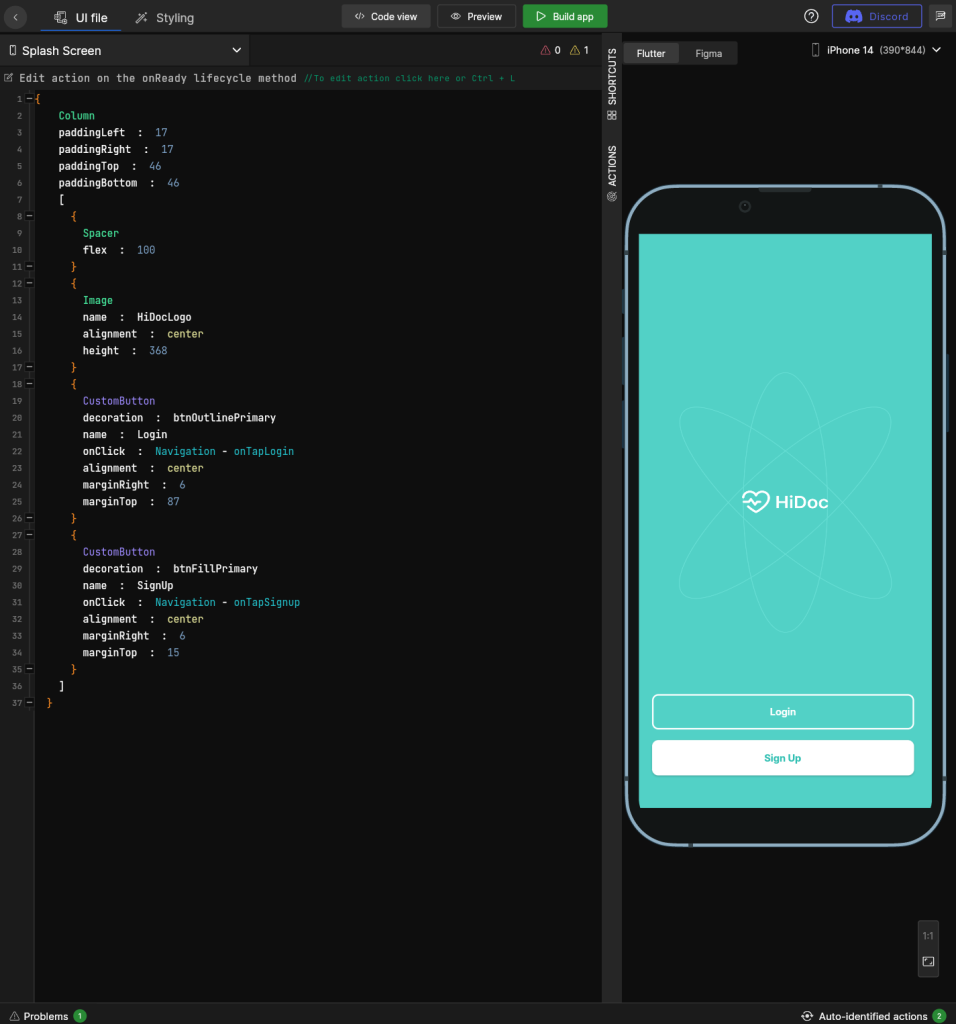
DhiWise low-code development platform
DhiWise is designed to be a user-friendly, efficient and versatile platform for programming, which adapts to different technologies and development needs. Its ability to support multiple programming languages and development environments, such as Flutter, React, iOS and Android, makes it an excellent tool for developing both web and mobile applications. The platform’s automation and code generation features save developers time, while delivering high-quality, efficient and easily maintainable code.
DhiWise’s built-in Flutter Builder tool makes the transition from design to development seamless, as it can compile Figma designs directly into working Flutter code. The Smart Editor feature gives developers the freedom to customize and optimize the code to suit their needs, enabling the development of even more personalized and efficient apps.
Project management and collaboration are also made easy by the DhiWise development platform, which offers integrations with popular version control systems such as GitHub and GitLab. This ensures that projects remain up to date and that teams can collaborate effectively to develop and manage applications. Code synchronization features with the most common IDE tools, such as VS Code, Android Studio and IntelliJ, increase the flexibility and efficiency of the development process.
In addition, DhiWise offers a range of ready-made app templates and an extensive demo library covering a wide variety of Flutter app development scenarios. These resources can significantly speed up development timelines and help developers build aesthetically pleasing and functionally rich apps without having to start from scratch, so to speak. This comprehensive approach makes DhiWis a valuable tool for the rapid development of modern applications.
DhiWise also offers its users an advanced tool for designing user interfaces using common design guidelines that are compatible with a wide range of software frameworks and technologies. These design guidelines enable app developers to create aesthetically pleasing and functionally consistent user interfaces for different platforms, such as the web, Android and iOS, using the same design principles. The style guidelines are designed to be intuitive and easy to adopt, so that developers can quickly learn to use them effectively.
Through its style guidelines, DhiWise enables close collaboration between designers and developers, as designed components and layouts can be transferred directly to the development environment without any room for misinterpretation. This reduces the need to constantly modify and update visual elements at different stages of development, leading to a more consistent user experience and faster product development.
Please note: The AI tool in DhiWi is still in development and has not yet been released for general use.
The low-code tool FlutterFlow
FlutterFlow is a visual low-code tool for building Flutter apps. It uses artificial intelligence to generate code, styles and database schemas, enabling developers to build apps efficiently. With FlutterFlow, developers can create a stylish user interface, clean code and publish their app to app stores or online with a single click. The platform is fully extensible with custom code, making it suitable for a wide range of applications.
FlutterFlow is designed to provide both novice and experienced Flutter developers with an efficient and intuitive development environment. Its visual design tool enables the rapid creation of app prototypes, allowing developers to see real-time previews of their changes. This feature not only helps to speed up the development process, but also reduces errors and improves the quality of the final product.
FlutterFlow’s AI-powered features offer intelligent suggestions for improving layout, functionality and user experience, enabling the development of apps that not only look good, but also run smoothly across different devices and operating systems.
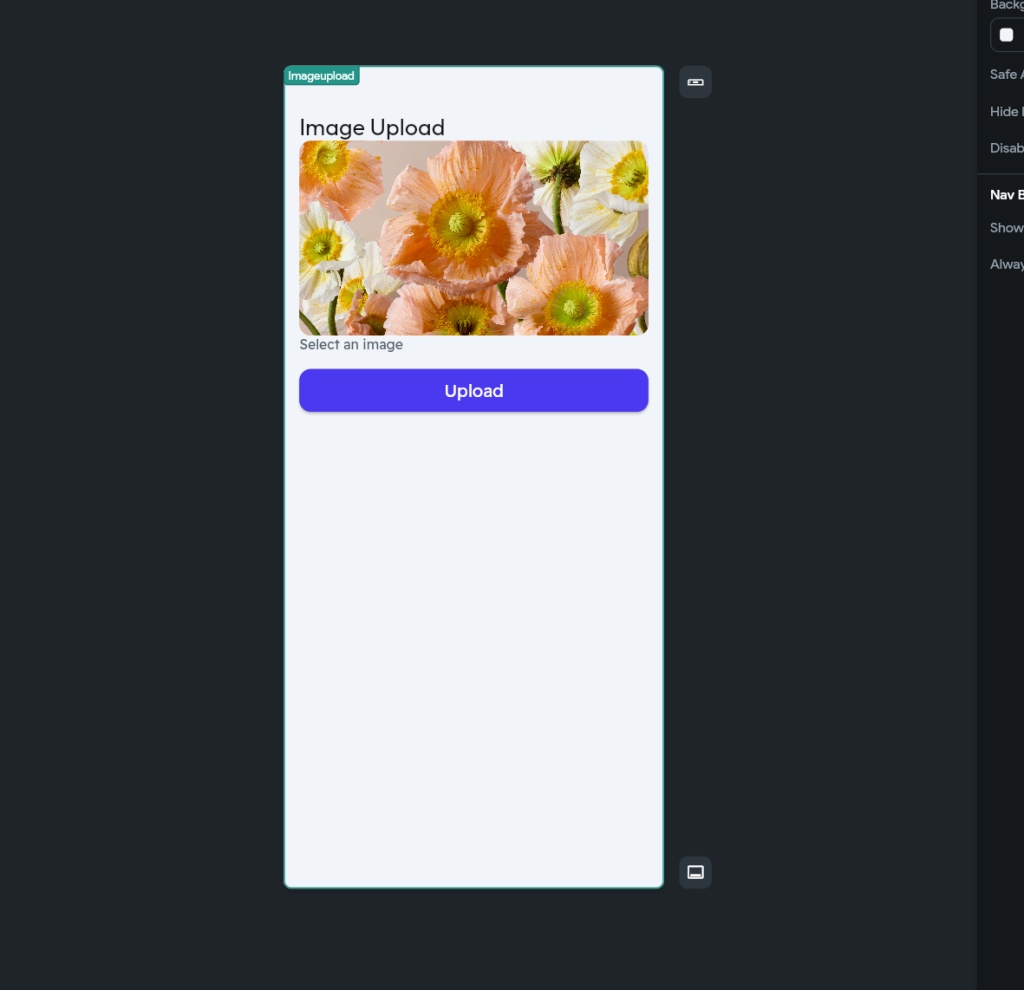
FlutterFlow offers an extensive library of ready-made widgets and modules that make it easier to integrate complex user interface elements and functionalities without developers having to write code from scratch. This modular approach not only speeds up development but also enables developers to tailor their applications precisely to their own and their end-users’ needs.
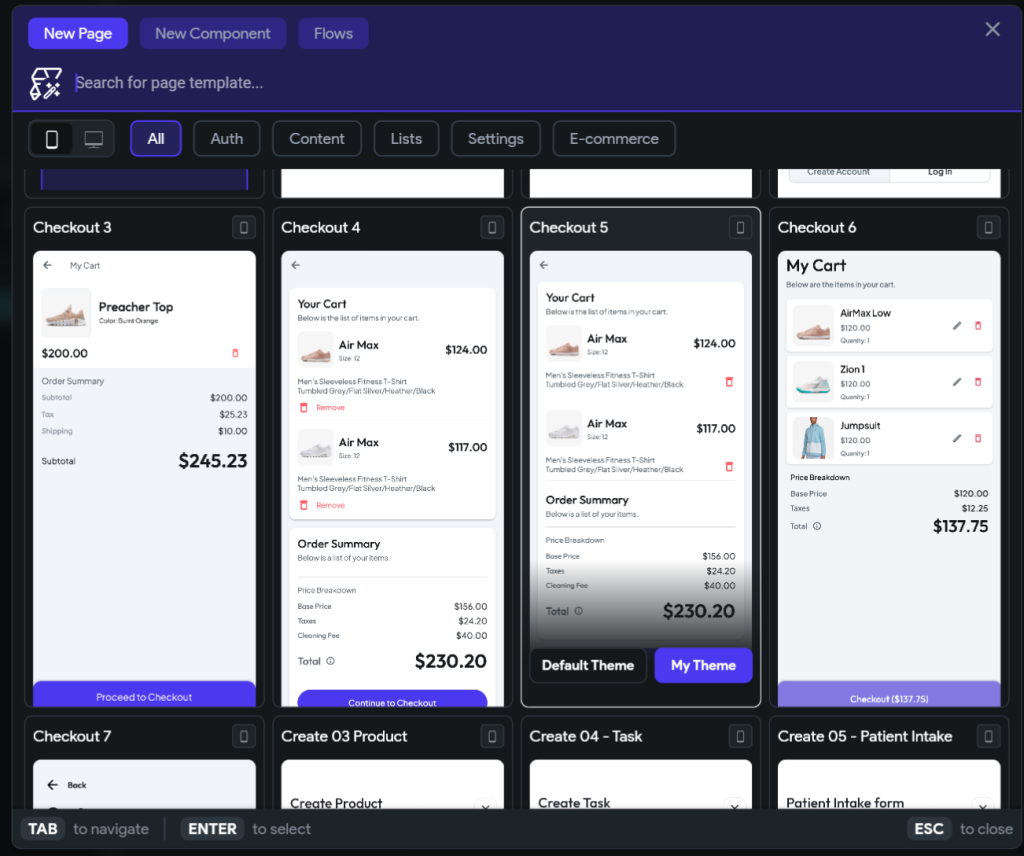
DhiWise vs FlutterFlow
Both DhiWise and FlutterFlow offer a range of features that can be useful for developers who want to build mobile apps quickly and efficiently. DhiWise is particularly useful for developers who want to convert Figma designs into Flutter code, as it offers a Flutter builder featuring a Smart Editor that provides complete flexibility for customizing the code. FlutterFlow, on the other hand, is suitable for developers who want to build apps powered by artificial intelligence, as it generates code, styles and a database schema with the help of AI.
The choice between DhiWise and FlutterFlow depends on the developer’s specific needs and preferences. If you’re looking for a platform that allows you to convert Figma designs into highly customized Flutter code, DhiWise might be the better choice. If, on the other hand, you’re looking for a low-code tool that allows you to build apps powered by artificial intelligence, FlutterFlow may be the right option.
Both FlutterFlow and Dhiwise offer significant benefits, particularly by speeding up the development process and lowering the barrier to app development. The choice between the two depends on the project’s requirements, the expertise available and specific needs, such as support for certain technologies or platforms.
Visual no-code integration of applications
Among no-code tools, we’ll highlight the Make app here, for example. Make is a versatile no-code automation and integration tool, formerly known as Integromat. It enables the integration and automation of various applications and services without the need for coding. Users can create workflows – or scenarios – in which different apps and services communicate with one another to carry out various tasks automatically.
With Maken, you can, for example, synchronize data between different systems, automate marketing tasks, manage project management processes, or even send automated notifications and emails. The tool supports hundreds of different applications, such as Google Sheets, Slack, Trello, HubSpot, Mailchimp and many others. Its user-friendly interface makes creating workflows quick and easy, and it is suitable for organizations of all sizes – from small start-ups to large enterprises – that wish to streamline their operations and reduce manual work.
Creating integrations is easy with Maken and ChatGPT
Make and ChatGPT technology (such as OpenAI ChatGPT-4o) can, when used together, facilitate the implementation and automation of integrations in many ways, without requiring any coding skills:
- No-code integrations
- Make offers a visual user interface that allows users to create automations and integrations without any coding skills. This makes creating integrations and workflows quick and easy, as users simply need to drag and drop elements to establish connections between different applications.
- Natural language processing
- ChatGPT technology can analyze and understand natural language. Make can use ChatGPT to automatically process and generate text, such as replying to customer messages, writing reports or creating automated emails. This reduces the amount of manual work and improves efficiency.
- Data processing and analysis
- ChatGPT and other AI tools can analyze large amounts of data and generate insights. Make can automate the transfer and processing of data between different systems, allowing ChatGPT to analyze the data and feed the results back into the systems. For example, sales reports can be generated automatically and sent to the relevant people.
- Chatbots and virtual assistants
- ChatGPT-based chatbots can be integrated into a company’s communication channels using Make. This enables the chatbots to answer customers’ questions in real time and assist with customer service. Make can also process the data collected by the chatbot and forward it to other systems, such as a customer relationship management (CRM) system.
- Process automation
- Make and ChatGPT, when used together, can automate complex business processes. For example, order processing, customer communications, content creation and data analysis can be automated so that ChatGPT generates the necessary text while Make handles process management and data transfer between different systems.
- Integration with third-party applications
- Make supports hundreds of third-party applications, such as Google Sheets, Slack, Trello, HubSpot, Mailchimp and many others. With ChatGPT, you can generate intelligent content and analytics for these apps, while Make handles the integration and data synchronization.
When combined, Make and ChatGPT technology can significantly simplify and streamline integrations and automation across a company’s various processes. They offer a user-friendly way to connect and automate different systems, reducing the amount of manual work and improving operational efficiency.
An example of automation created using Make and ChatGPT
The image below shows Maken’s workflow, created without any coding, which automates the processing of receipts from Google Drive via email using Gmail and AI tools. The workflow proceeds as follows:
- Google Drive: The first module monitors a specific folder in Google Drive for new files (“Watch Files in a Folder”).
- Google Drive: When a new file is detected, it is downloaded (‘Download a File’).
- Google Cloud Vision: The uploaded file is processed using Google Cloud Vision, which performs text recognition (OCR) on the file and returns the results (“Run Text Detection (OCR) within a File and Iterate the Result Array”).
- OpenAI (ChatGPT, Whisper, DALL-E): The recognized text is converted into structured data using OpenAI (“Transform Text to Structured Data”).
- Gmail: Finally, the converted data is sent by email via Gmail (‘Send an Email’).
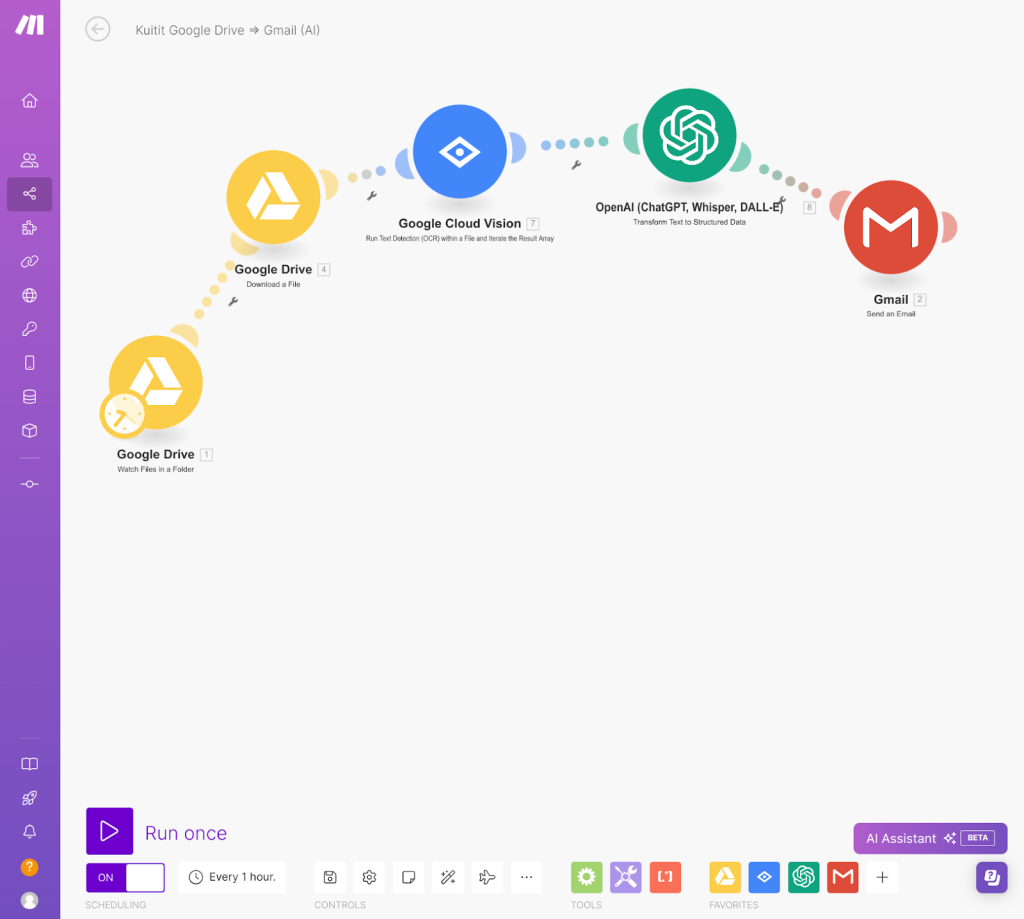
The workflow is designed to run automatically every hour, continuously monitoring for new files, processing them and sending the necessary information by email. The process utilizes AI tools for text recognition and data processing, which streamlines and automates file management and communication.
By combining no-code and low-code platforms with artificial intelligence, businesses can boost their competitiveness
Low-code and no-code software development, together with artificial intelligence, offer significant benefits in application development, such as faster development times and cost-effectiveness. Low-code platforms enable the rapid and easy development of applications using visual tools, reducing the need to write code and making application development more accessible to a wider audience. No-code platforms go even further, enabling applications to be created without any programming skills at all. Artificial intelligence, in turn, enhances the intelligence and efficiency of applications, automating complex tasks and improving the user experience.
These enable companies to remain competitive and respond quickly to changing market needs. Through the synergy of technologies, it is possible to create innovative, high-quality and user-friendly applications more quickly and efficiently than ever before. This holistic approach opens up new opportunities for both developers and business experts, who can work together to develop effective and innovative solutions.
Would you like to find out more? We’re always on hand to help you choose the technologies and methods best suited to your project, which will help you achieve your business objectives. So, if you’re looking for an expert software development service, don’t hesitate to get in touch!
You can book a remote meeting with us, during which we can explore, for example, the potential of artificial intelligence to bring real added value to your specific business.
Shall we get started?
"*" indicates required fields

You might also like these articles

6 winning use cases for AI – how to find where it really pays off
Read more

The AI Act – the artificial intelligence legislation – sets out the rules for the use of artificial intelligence
Read more

Large language models (LLMs) in business use – where they bring the most value
Read more
User journeys and AI – how to build a user-centric and intelligent service experience
Read more
 Cloud service models: PaaS, IaaS, BaaS and SaaS