


AI agents as part of processes – how to get started?
An AI agent is a system that handles tasks independently or semi-automatically as part of a company’s processes. It combines a large language model (LLM), context, rules and integrations. For example, an agent can read orders arriving by email, compare them with product data in the company’s system and flag discrepancies for a human to review.
In recent years, the development of artificial intelligence in companies has progressed to a stage where the focus is shifting from individual tools to entire functional systems. This development is driven by language models having matured enough to serve as the core of decision-making and interpretation even in more complex contexts.
In this article, we explain how AI agents work, how they differ from chatbots and traditional automation, and how to implement an agent step by step. We also share examples of AI agents we have built.
- What does an artificial intelligence agent mean in practice?
- The stages of AI development in the background – why AI agents are on the rise now
- From single AI agents to multi-agent systems
- Swarm intelligence and distributed collaboration
- Orchestration makes agents production-ready
- How does an artificial intelligence agent work in practical processes?
- Personal AI agents and a step towards a truly functional “Siri”
- Why context determines the reliability of AI agents
- How to get started with AI agents
- Case studies of AI agents
- The benefits and limitations of AI agents in business use
- We assist companies in implementing artificial intelligence agents
- Frequently asked questions
What does an artificial intelligence agent mean in practice?
An artificial intelligence agent is a system that performs tasks independently in a predefined operating environment. It is not just a chatbot, but part of a larger entity in which artificial intelligence is linked to business rules, workflows and systems.
Typically, an artificial intelligence agent consists of the following components:
- a language model that interprets inputs and forms conclusions
- context and memory, which limit and guide behaviour
- rules and restrictions that define what an agent is allowed to do
- integrations through which the agent influences systems
- supervision and approval, which keep people involved in the process
The strength of an AI agent comes from the fact that these parts work together. The language model provides flexibility and understanding, while the structures ensure controllability and reliability.
AI agents are also used in software development, where a coding agent writes code and tests under a developer’s guidance. We cover this in more detail in the article AI in software development.
What is the difference between an AI agent, a chatbot and automation?
A chatbot, such as a RAG-based AI chatbot, answers questions, but it usually does nothing outside the conversation. Traditional automation, such as robotic process automation (RPA), repeats preprogrammed steps and stops when the input differs from what is expected. An AI agent interprets information arriving in different formats, chooses the next step within defined rules and initiates actions in the company’s systems.
That is why an agent is especially well suited to tasks where the information varies but the process is clear. For example, orders may arrive as PDF files, Excel spreadsheets or email messages, but each of them must be recorded the same way in the ERP system.
The stages of AI development in the background – why AI agents are on the rise now
OpenAI and other players in the field have described the development of artificial intelligence in stages. Understanding these stages helps to explain why agent-based artificial intelligence has become so topical right now.
In simple terms, the stages of development can be described as follows:
- Step 1: Conversation-based models
- The first chatbots were capable of understanding and producing natural language, but mainly functioned as individual question-and-answer tools.
- Step 2: Reasoning models
- Large language models are already capable of human-level problem solving, understanding complex entities, and deeper reasoning.
- Step 3: Agents
- Artificial intelligence operates as part of the process. Artificial intelligence agents make observations, initiate actions, utilise integrations and respond to their environment within a limited operating framework. This phase is currently transitioning to large-scale production use in enterprise systems.
- Step 4: Innovators
- Agents participate in brainstorming, planning and solution development. They are able to combine information across individual tasks and support strategic thinking alongside people.
- Step 5: Organisations
- Artificial intelligence is capable of handling entire workflows and organisational functions through the collaboration of multiple agents, with humans acting in a guiding and supervisory role.
In business use, the focus is currently on phase three. Artificial intelligence agents have moved from trials to real-life processes, where they support everyday tasks and decision-making. At the same time, phase four features are already clearly visible in the development, such as the ability of agents to suggest alternative solutions and combine information from multiple sources. However, the large-scale utilisation of these capabilities is still based on controlled agent-based solutions.
From single AI agents to multi-agent systems
In complex situations, one artificial intelligence agent is not enough. In such cases, a multi-agent system is used, in which several agents work together.
In multi-agent systems:
- agents are assigned different roles
- the work is divided into smaller parts
- agents can transfer tasks to each other
- the whole process proceeds in a controlled manner from one stage to the next
This approach is particularly useful when the process combines interpretation, validation, integration and reporting.
Swarm intelligence and distributed collaboration
Swarm intelligence extends multi-agent thinking in a decentralized direction. It is based on the idea that several relatively simple artificial intelligence agents can together form an effective whole without centralized control.
The key features of swarm intelligence are:
- decentralised decision-making
- local rules and responsibilities
- high fault tolerance
- good scalability
In business systems, swarm intelligence provides a model for situations where the operating environment changes rapidly and the system must adapt to disturbances without manual control.
Orchestration makes agents production-ready
The number or intelligence of agents alone does not determine success. The decisive factor is orchestration, i.e. how the actions of agents are structured into a whole.
A well-designed orchestration defines:
- roles and responsibilities of agents
- workflow stages and transitions
- approval and review stages
- error handling
- the role of humans as part of the process
Orchestration resembles the supervisor model: agents handle operational work, while humans focus on supervision, exceptions and decisions.
Orchestrating AI agents in practice – examples from OpenAI and Anthropic
The same phenomenon can also be seen in the latest solutions from artificial intelligence providers. OpenAI presents a model on its Frontier platform in which agents act as digital co-workers: they have a shared context, clear access rights and limits, and the ability to learn through feedback. The aim is to move agents from individual pilots to become part of the organisation’s actual work.
In Anthropic’s Claude Code environment, this thinking is reflected in agent teams. One agent acts as a coordinator, dividing the work into parts and compiling the final result, while the other agents work in parallel in their own contexts. This model emphasises the importance of orchestration: without a clear division of labour and supervision, parallelism can easily increase complexity.
How does an artificial intelligence agent work in practical processes?
In practice, the agent’s actions often follow a recurring pattern:
- the agent receives input, such as a message, event or data
- the language model interprets the situation based on the given context
- the agent makes a conclusion or suggestion
- the specified function starts, such as data recording or reporting
- the result is recorded, reported or submitted for approval
Personal AI agents and a step towards a truly functional “Siri”
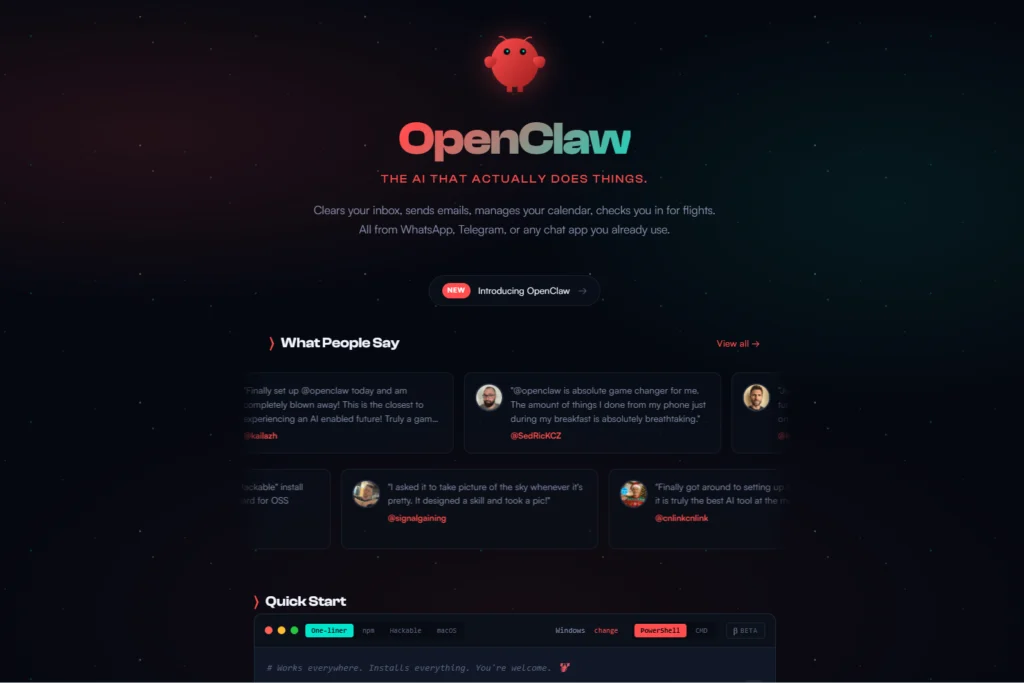
The same operating model can now also be seen in personal AI agents. In a solution such as OpenClaw, for example, the agent no longer waits for a single command but operates on a scheduled basis as part of everyday life. The agent can be programmed to check emails every morning at a specific time, identify relevant messages and prepare draft replies. The process follows the same logic as in enterprise systems: input, interpretation, action and monitored outcome.
Humans remain involved, particularly in exceptional situations, approval stages and monitoring. This makes AI agents safe to use even in critical processes and sets them apart from previous voice assistants. This is not a reactive question-and-answer model, but a functional agent that independently but controllably carries out agreed tasks.
Why context determines the reliability of AI agents
The operation of AI agents is strongly based on context engineering thinking. A simple prompt is not enough; a systematic way of defining what information the agent can rely on and how it can operate is needed.
Context engineering covers:
- task assignment and role description
- limiting the data used
- Permitted tools and integrations
- rule-based restrictions
- terms and conditions relating to data security and responsibility
When the context is carefully defined, the agent produces more consistent and reliable results. This is particularly evident in RAG solutions and multi-agent environments.
How to get started with AI agents
The implementation of artificial intelligence agents works best when built in stages as a whole that is directly linked to everyday processes. AI agents bring the most value to tasks where work progresses in clear stages and information moves between multiple systems or people.
Identify the appropriate starting points for artificial intelligence agents
Good starting signals for agent solutions include, for example:
- repetitive manual work that takes up experts’ time
- information that arrives in various forms (e-mail, attachments, documents)
- processes in which decision-making is slowed down due to fragmented material
- situations where the same work is done in parallel by different teams
In these cases, the AI agent can take responsibility for interpreting, pre-processing or preparing the information for the next stage.
Describe use cases before implementation
Once potential agent targets have been identified, it is advisable to describe them as use cases. Use cases help to structure the agent’s role and limitations even before technical implementation.
A well-described agent use case answers questions such as:
- at what point in the process does the agent operate
- what it does itself and what it leaves to humans
- what information it uses and from which sources
- when operations are suspended or require approval
Use case definition checklist
The table helps to ensure that each use case is defined with sufficient precision before implementation. Based on IBM’s Use case specification outline.
| Sub-area | Description and instructions | Questions to help you get started |
| Name of use case | Name the use case clearly. The name indicates the objective of the function or the visible end result. | What does the user do and what changes after successful completion? E.g. “Record maintenance work in the mobile application” or “Create an automatic order report”. |
| Brief description | Describe the role and purpose of the use case: why this function exists and what business need it serves. | Why is this function important? Whose problem does it solve? |
| The course of events | Present the main steps of the use case. Describe how the user and the system interact. Avoid details of the user interface and focus on what information is exchanged. | What does the user do first? What does the system respond? What information is transferred? |
| Basic flow | Describe the ideal situation, i.e. the basic process in which everything proceeds as planned. This is the case in which the system operates by default. | How does the process proceed when everything goes right? |
| Alternative flows | Describe any deviations or errors, such as incorrect input or missing information. | What happens if the user enters incorrect information? What if the connection is lost? |
| Special requirements | List non-functional requirements related to the use case, such as quality, security, performance, or regulatory factors. | Does the system have any specific performance or safety requirements? Do any laws or standards need to be taken into account? |
| Requirements | Describe the situation or conditions that must be in place before the use case can begin. | What needs to be done or ready before this process can begin? |
| After-conditions | Describe any states or results that the system may have after the end of the use case. | What changes in the system or what information is created when the process ends? |
| Extension points | Identify points where another use case relates to this one or continues from it. | Where does this use case link to other processes? E.g. “Recording a maintenance report” → “Starting invoicing”. |
Prioritisation, pilot projects and implementation in everyday life
It is not practical to implement all agent ideas at once. Prioritisation helps to select the first pilots in a controlled manner.
Use cases should be examined from the following perspectives, for example: impact, effort, data quality and risk level. Often, the best starting points are situations where the impact is clear and implementation can be limited to a pilot.
A limited pilot makes the agent’s role visible in the right context. During the pilot, the quality of interpretation can be tested, acceptance and control models can be verified, and the impact on everyday work can be assessed. When the agent operates reliably in a limited environment, expansion into production and new use cases is smooth.
In production use, agents begin to shift the focus of their work towards handling exceptions, checking and decision-making. Previously established limitations and management models support expansion and the construction of new agents on top of the existing foundation.
Case studies of AI agents
Case: Toivalan Metalli’s Odoo AI order processor
Toivalan Metalli, a metal subcontractor based in Siilinjärvi, Finland, uses the Odoo ERP system to manage products, orders, production and deliveries.
Orders used to arrive in several email inboxes as PDF and Excel files or directly in email messages. Each order also had to be checked and entered into the system manually. The work was complicated by the fact that the product codes, drawing numbers and revisions used by customers did not always match the product data in Odoo.
We developed a custom Odoo AI order processor for Toivalan Metalli that automates steps in order handling. The AI agent reads orders arriving in different formats, parses their content and compares the data with the product register in Odoo. Any conflicts or missing information are flagged for an employee to review before the order moves into production.
As a result, order lines no longer need to be entered manually, and staff can focus on resolving exceptions and making decisions that require human judgment. The language model interprets the content of the orders, while data validation, business rules and the Odoo integration are handled at the system level.
Case: Cora Refinish’s Wiseguy AI chatbot
Cora Refinish imports and sells automotive paints, painting and collision repair equipment, and industrial coatings.
Its products come with hundreds of technical data sheets and safety data sheets in PDF format. When a customer or reseller asked about a mixing ratio or drying time, for example, the right information had to be found manually across several documents.
We built the Wiseguy AI chatbot for Cora Refinish. It answers questions in natural language about product instructions, mixing ratios, suitability, drying times and safety data sheets. The chatbot retrieves answers from the company’s own product documents, so users do not have to browse the files themselves. Wiseguy can be used on a separate page or directly in the chat window on the website.
As a result, customers, resellers and staff find the product information they need faster, and repetitive questions place less load on customer service. At the same time, Cora Refinish’s technical expertise is more readily available to its entire reseller network.
Case: Hurja’s AI security agent
During an internal AI hackathon, we developed an AI agent that monitors security sources around the clock, identifies relevant threats and reports them automatically, for example to Slack. The agent is built on the LangChain and LangGraph frameworks, and its behaviour is guided by instructions written in natural language. The technologies and keywords it monitors can be changed without coding.
The agent reduces the time our experts spend screening security sources, so they can focus on taking action. The same structure is also suitable for analysing industrial maintenance data, sensor data or customer feedback, for example.
The benefits and limitations of AI agents in business use
The key benefits of artificial intelligence agents are:
- time savings in routine tasks
- better use of information
- continuous operation without load
- scalability as processes grow
At the same time, it is important to recognise the limitations:
- quality depends on context and limitations
- the impact of errors is accentuated without supervision
- Information security and responsibilities require careful planning.
A balanced approach makes agents a sustainable part of the company’s overall system.
We assist companies in implementing artificial intelligence agents
AI agents bring together large language models, integrations and business rules in a way that makes artificial intelligence an active part of everyday life.
We help companies identify processes where AI agents can bring real benefits and build solutions in a controlled manner into existing systems. We always approach AI agents from a business perspective and ensure that solutions are secure, scalable and practical. Read more about our AI solutions.
When AI agents are built on business terms, they become a reliable part of everyday life and a clear competitive advantage. If you are wondering how AI agents could support your organization, we are happy to help you understand the big picture and turn your ideas into viable solutions.
Frequently asked questions
An AI agent is a system that handles tasks independently or semi-automatically as part of a company’s processes. It combines a large language model, context, rules and integrations, so it can interpret information and initiate actions in the company’s systems.
A chatbot answers questions in a conversation. An AI agent moves tasks forward, for example by recording orders in a system, compiling reports or flagging exceptions for a human to review.
An AI agent is well suited to repetitive manual work where information arrives in different formats, such as emails, attachments and documents. Good use cases include order processing, answering product information questions and monitoring information from different sources.
When the agent’s operating environment, the data it uses and the actions it is allowed to take are carefully defined, the agent can also be used in critical processes. A human approves important decisions and handles exceptions. Information security and the requirements of the AI Act must also be taken into account.
Start by identifying the processes where an agent would bring the most value and describe them as use cases. Choose a limited pilot with a clear impact as your first step. Once the agent works reliably in the pilot, it can be expanded into production and new use cases.
Ready to get started?
"*" indicates required fields

You might also like these articles

RAG AI chatbot for businesses – turn your data into a competitive edge
Read more

Large language models (LLMs) in business use – where they bring the most value
Read more

How does software architecture save the vibe coder?
Read more

AI for businesses – benefits, use cases and implementation
Read more
 How can you get more out of Odoo ERP with AI?